
Why Outdated Security Systems Are a Growing Risk in 2026
When evaluating key considerations for upgrading legacy security systems, these are the most important factors to address:
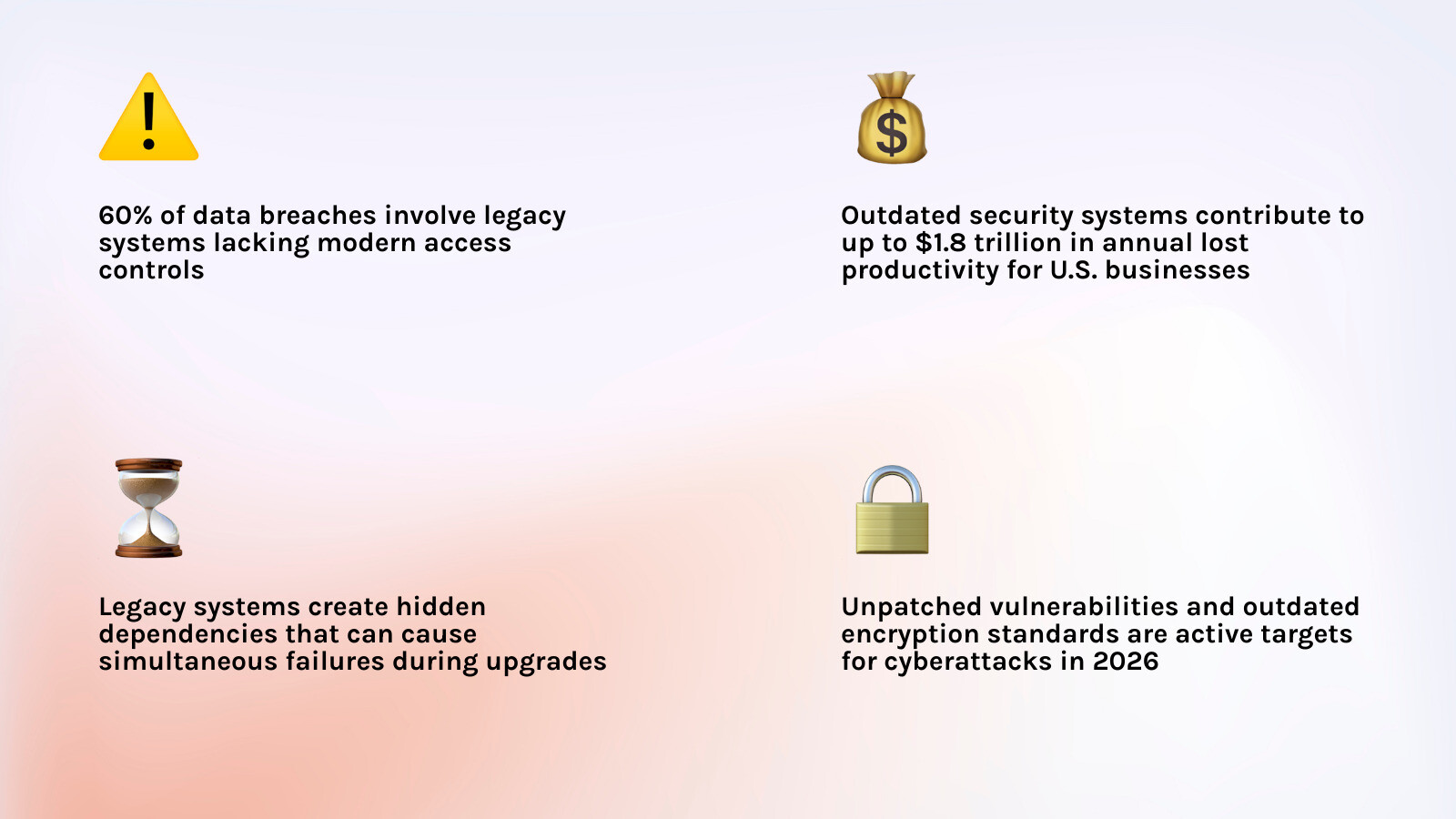
- Security vulnerabilities — Unpatched systems and outdated encryption are active targets. 60% of data breaches involve legacy systems lacking modern access controls.
- Undocumented dependencies — Hidden system connections can cause multiple critical systems to fail simultaneously during an upgrade.
- Operational continuity — Upgrades must be phased carefully to avoid downtime or security gaps while old and new systems coexist.
- Encryption and access control — Legacy systems often can’t support modern standards like multi-factor authentication or current encryption protocols.
- Compliance requirements — Regulatory obligations don’t pause during a modernization project and must be designed in from the start.
- Choosing the right modernization approach — Options range from retaining existing systems to full replacement, each with different cost and risk profiles.
- Change management and user adoption — Technical upgrades fail when staff aren’t brought along. Workflow disruption is one of the most common causes of project failure.
- Testing and validation — Real-world testing with actual users and production data is essential before full cutover.
Here’s the uncomfortable truth about legacy security systems: they rarely fail all at once.
Cameras still record. Doors still lock. The access panel still blinks. On the surface, everything looks fine. But underneath, the threat landscape has moved on — and those systems haven’t.
As of May 2026, businesses running outdated security infrastructure are facing risks that simply didn’t exist when those systems were installed. Vendors have stopped releasing patches. Encryption standards that were considered solid a decade ago are now trivially breakable. And when a breach happens, the costs are severe — the Equifax breach, triggered by a single unpatched legacy vulnerability, resulted in over $575 million in settlements and remediation costs alone.
The financial drag is real even without a breach. Outdated technology costs U.S. businesses up to $1.8 trillion annually in lost productivity — a figure that reflects the slow bleed of systems that can’t integrate, can’t scale, and can’t keep up.
For Gold Coast businesses, the stakes are just as high. Whether you’re managing a retail site, a commercial building, or a multi-site operation, the decision to modernize your security isn’t just a technology question. It’s a business continuity question.
This guide walks you through every major consideration — from identifying hidden risks in your current setup, to choosing the right modernization path, to keeping operations running smoothly throughout the transition.
Primary Risks and Key Considerations for Upgrading Legacy Security Systems

When we talk about “legacy” systems, we aren’t just talking about dusty hardware. We are talking about any system that is no longer receiving security updates, lacks modern integration capabilities, or relies on obsolete communication protocols. These systems often become “silent liabilities”—they work just well enough that you don’t feel the need to replace them, but they are riddled with unpatched vulnerabilities that hackers can exploit with minimal effort.
One of the most significant key considerations for upgrading legacy security systems is the risk associated with Operational Technology (OT) and control systems. In many Gold Coast commercial buildings, the security system is siloed from the rest of the IT infrastructure. This isolation used to be a defense, but today, it’s a weakness. If your building’s access control or alarm system is running on end-of-life software, it becomes an easy entry point for lateral movement into your broader business network.
The Equifax breach remediation costs serve as a stark reminder of what happens when a legacy vulnerability is ignored. Beyond the threat of a breach, there is the crushing weight of high maintenance overhead. Finding spare parts for a 15-year-old alarm panel or a technician who still remembers how to program a serial-port controller is becoming increasingly difficult and expensive. For a deeper dive into these risks, check out A Comprehensive Guide to Security System Upgrades.
Strategic Approaches to Modernization: The 7 Rs
Modernization doesn’t always mean ripping every wire out of the walls. We often use a framework known as the “7 Rs” to help our clients decide the best path forward based on their budget, risk tolerance, and infrastructure limitations.
| Strategy | Action | Best For… |
|---|---|---|
| Retain | Keep the system as-is but add protective layers. | Systems with low risk and high replacement cost. |
| Rehost | Move existing software to a modern cloud environment. | Reducing hardware maintenance costs. |
| Replatform | Move to a new platform with minimal code changes. | Gaining cloud benefits without a full rebuild. |
| Refactor | Optimize the existing code to improve performance. | Modernizing software-heavy security tools. |
| Rearchitect | Shift to a new architecture (like microservices). | Complex, multi-site enterprise systems. |
| Rebuild | Rewrite the system from scratch on modern tech. | When the logic is sound but the tech is dead. |
| Replace | Scrap the old and install a completely new solution. | Most physical security hardware (cameras, locks). |
Choosing between these requires a thorough ROI analysis. For instance, replacing an entire CCTV network might have a high upfront cost, but the reduction in false alarms and the addition of AI-powered analytics can pay for the system in under two years. As you prepare, there are 5 Things to Know Before Your Electronic Security Installation that can save you a world of headache during the transition. Following modernization best practices ensures that you aren’t just buying new gear, but building a scalable foundation for the future.
Overcoming Technical Hurdles in Legacy Environments
The transition from “old” to “new” is where most projects get messy. You likely have a mix of legacy wiring, proprietary protocols, and modern IP-based needs. Integrating these into a cohesive, secure environment is a major technical hurdle.
Key Considerations for Upgrading Legacy Security Systems: Encryption and Access Control
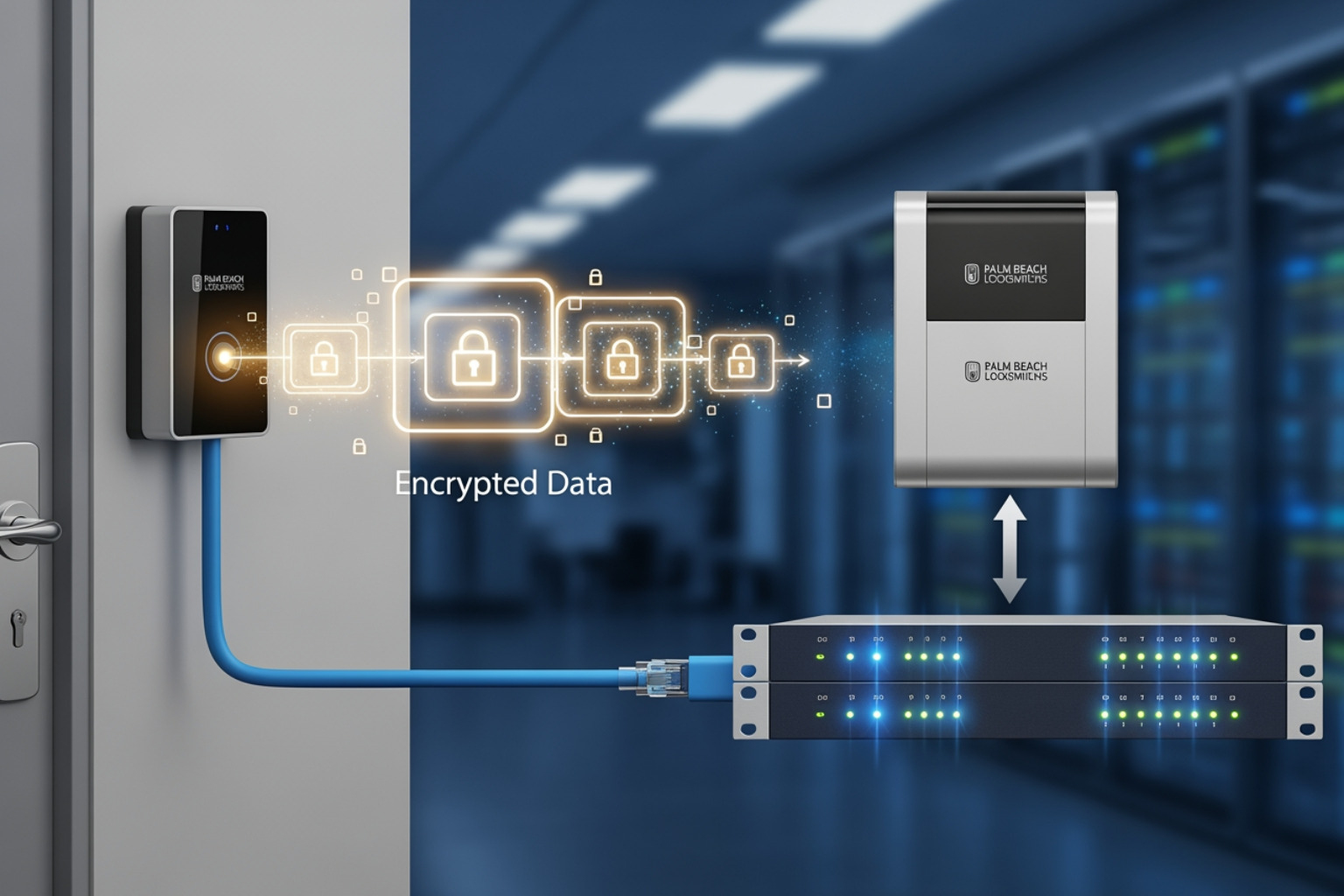
In the old days, a door reader sent a simple, unencrypted signal to a controller. Today, that signal can be intercepted and “replayed” by a $20 device bought online. This is why adopting the OSDP (Open Supervised Device Protocol) is one of the most critical key considerations for upgrading legacy security systems. Unlike the older Wiegand protocol, OSDP supports high-end encryption and bi-directional communication.
For physical locks, we are seeing a massive shift toward “secure element” hardware. This involves door readers and smart locks that use cryptographic keys stored in a tamper-proof chip, making credential cloning nearly impossible. Whether you are looking at Beyond the Key: Unlocking the Best Smart and WiFi Deadbolts or enterprise-grade readers, the goal is the same: multi-factor authentication (MFA) at the door.
From a data perspective, security considerations in modernization often highlight the need for column-level encryption in databases. If your legacy system stores user PINs or biometric templates in plain text, that’s a ticking time bomb. Modernizing means ensuring that sensitive data is encrypted both at rest and in transit.
Key Considerations for Upgrading Legacy Security Systems: Managing Undocumented Dependencies
This is the “booby trap” of security upgrades. Over 20 years, your security system has likely been “tweaked” by five different vendors. There are undocumented links between your fire alarm, your elevator controls, and your front door locks. If you shut down the old security server without mapping these dependencies, you might find that your elevators stop working or the fire monitoring station stops receiving signals.
We recommend a process of “dependency discovery” through production monitoring. This means watching the system in real-time to see which applications talk to each other before you pull the plug. Using legacy network upgrade tips like creating “transformation layers”—basically digital bridges that allow old and new systems to speak the same language—can prevent total system failure. Sometimes, the solution is Alarming Simplicity: The Best Easy to Install Security Systems, which allows for a cleaner break from old, messy wiring.
Ensuring Operational Continuity and Compliance
You can’t just turn off your security for a week while you install new gear. Your business needs to stay protected every single minute. This is why we almost always recommend a phased migration. By running the new system in parallel with the old one, we can test every sensor and reader before the final “cutover.”
This approach aligns with a Zero-Trust Architecture. In this model, we assume no device or user is inherently trustworthy, regardless of whether they are inside the building or on the network. This is particularly important when you Secure Your Gold Coast Home with These Top Camera Picks or secure your business, as it ensures that even if one component is compromised, the rest of the system remains locked down.
Compliance is another non-negotiable factor. Whether it’s PCI-DSS for retail or health privacy regulations, your security system must maintain an auditable trail. Modern systems excel here, providing automated reports that show exactly who was where and when, without the need for manual logbooks.
Testing, Validation, and Post-Upgrade Optimization
The job isn’t done when the last screw is tightened. Rigorous testing is what separates a successful upgrade from a disaster. We follow a strict protocol that includes:
- Intrusion Simulation: We actually try to “break in” to the system to ensure alarms trigger correctly.
- User Acceptance Testing (UAT): Having your actual staff use the system to ensure the workflow makes sense to them.
- Battery Backup Checks: Ensuring that if the power goes out in Currumbin during a summer storm, your locks still work.
- 72-Hour Supervised Testing: Keeping the old system on “standby” for three days while the new system runs live to catch any intermittent bugs.
Following retrofitting legacy alarm systems standards like SIA DC-09 ensures that your communication with the monitoring station is encrypted and reliable. Finally, don’t overlook staff training. A high-tech system is useless if your manager doesn’t know how to add a new employee or pull a footage clip.
Frequently Asked Questions about Legacy Security Upgrades
How do I identify hidden dependencies in my old security system?
The best way is through a combination of “digital archaeology” and active monitoring. We look at old wiring diagrams (if they exist!), but more importantly, we use network monitoring tools to see which IP addresses and ports your security hardware is communicating with. Cross-departmental collaboration is key—often the IT manager or the facilities manager has “institutional knowledge” about a weird workaround installed ten years ago that isn’t documented anywhere.
What is the difference between rekeying and a full system replacement?
Rekeying is a cost-effective way to reset your security by changing the internal pins of your existing locks so old keys no longer work. A full replacement involves swapping out the hardware entirely. If your lock bodies are worn out or you want to move to a restricted key system or a smart lock, replacement is the way to go. If the hardware is solid but you just lost a bunch of keys, rekeying is usually sufficient.
How can we maintain compliance during a phased security rollout?
We treat regulatory requirements as “design constraints.” This means we set up parallel compliance monitoring. While the new system is being installed, we ensure the old system is still generating the necessary audit logs. We also coordinate with regulatory bodies or your insurance provider early in the process to ensure the new architecture meets their specific standards before we reach the final cutover.
Conclusion
Upgrading your business security doesn’t have to be an overwhelming “rip-and-replace” nightmare. By focusing on the key considerations for upgrading legacy security systems—from encryption and dependencies to phased implementation—you can transform a hidden liability into a powerful business asset.
At Palm Beach Locksmiths, we’ve spent over 40 years helping Gold Coast businesses navigate these exact challenges. Whether you’re in Burleigh, Miami, or down in Northern NSW, our team of experts provides 24/7 mobile services to ensure your transition to modern security is seamless, secure, and stress-free.
From emergency lockouts to the installation of advanced electronic access control, we are your trusted “one-stop” security provider. We guarantee 100% customer satisfaction and offer competitive pricing that ensures you get the best protection for your investment.
Don’t wait for a legacy system failure to force your hand. Modernize your security today and give your business the protection it deserves in 2026 and beyond.