Why Access Control Systems Matter for Gold Coast Homes and Businesses
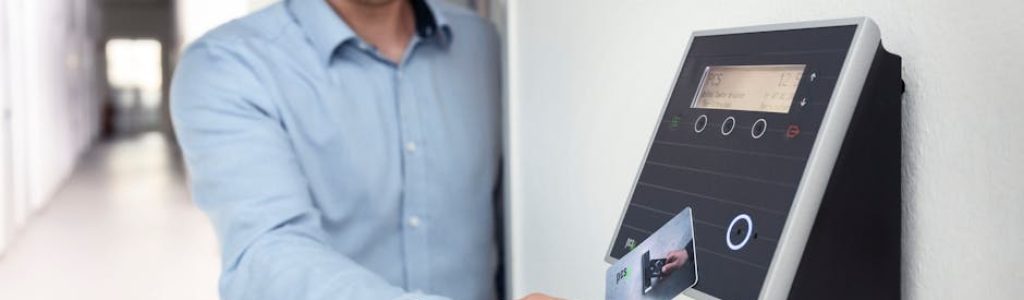
Access control systems are electronic security solutions that manage who can enter a building, specific room, or restricted area — and when they can do so.
Here’s a quick overview of what they do and why they matter:
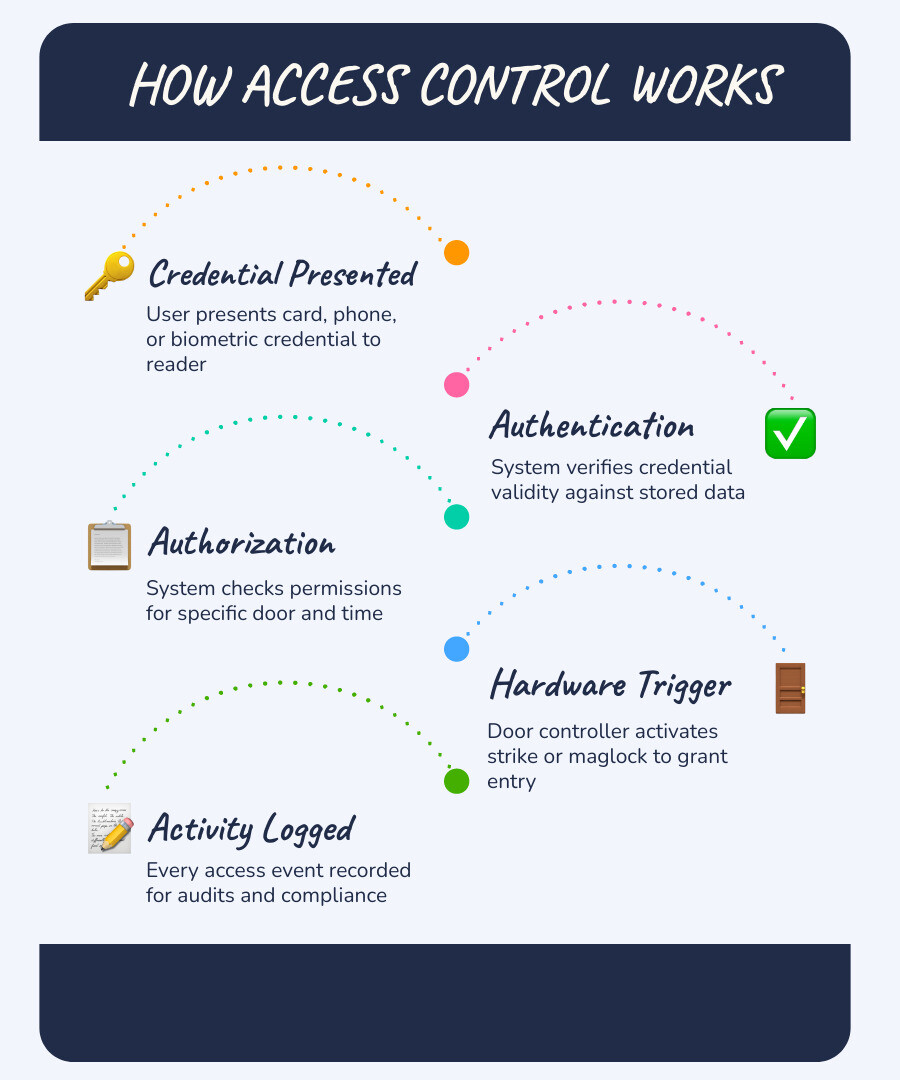
- Authenticate — verify that a credential (card, phone, PIN, fingerprint) is valid
- Authorize — confirm that the credential holder has permission for that specific door or time
- Grant or deny entry — trigger the locking hardware to open or stay locked
- Record activity — log every access event for security audits and compliance
In plain terms: they replace traditional keys with smarter, more controllable ways to manage who gets in.
Modern access control goes well beyond a simple key card swipe. Today’s systems can run entirely from the cloud, work with your smartphone, connect to video cameras, and even integrate with building systems like HVAC and lighting. According to a global survey of over 1,000 security professionals, 93% of organizations consider access control essential to their risk management strategy — and it’s easy to see why.
For Gold Coast property owners and business managers, the stakes are real. Whether you’re protecting a retail shopfront in Surfers Paradise, a medical practice, or a multi-site commercial operation, the right system gives you visibility and control that a metal key simply can’t match.
This guide breaks down the key terms and concepts so you can make sense of the options — without needing an IT degree.
Access control systems word roundup:
What are Access Control Systems and How Do They Work?
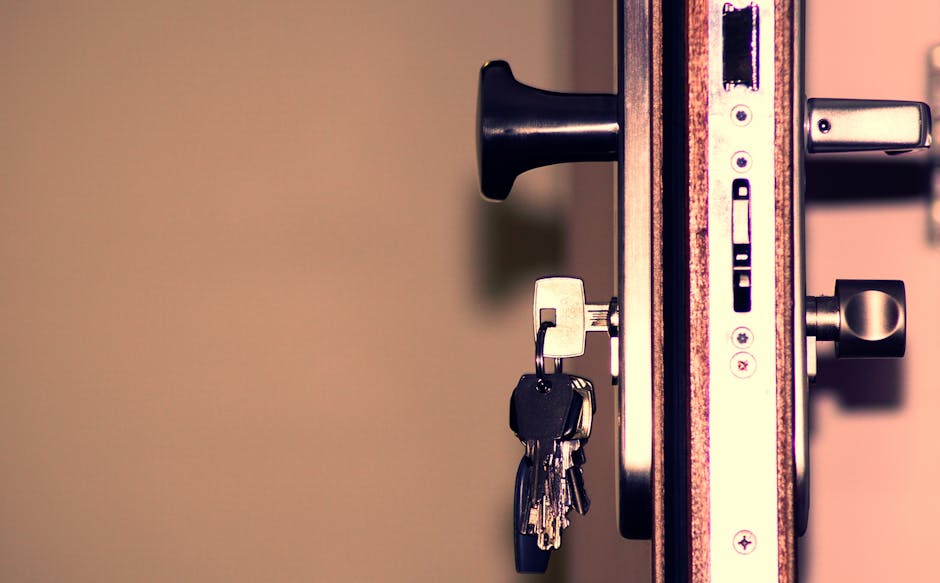
At its simplest, an access control system is a digital gatekeeper. While a traditional lock relies on the physical shape of a key to move pins, an electronic system relies on data. When we talk about how these systems work, we usually break it down into four distinct steps: identification, authentication, authorization, and accountability.
First, you present your “identity” via a credential. The system then “authenticates” that the credential is real and hasn’t been forged. Next, it “authorizes” your entry by checking if you are allowed through that specific door at that specific time. Finally, it ensures “accountability” by logging the event.
To make this happen, several pieces of hardware must work in perfect harmony. You have the readers (the “ears” of the system), the controllers (the “brain”), the credentials (the “key”), and the management software (the “interface”). When these components are integrated correctly, you get a seamless experience that feels like magic—but is actually just very clever engineering.
For businesses in areas like Burleigh or Miami, implementing Access Control Systems means moving away from the “master key” headache. If an employee leaves or a card is lost, you don’t need to call us to rekey every lock on the property. You simply click a button in the software, and that credential is dead.
The Core Components of Access Control Systems
Understanding the hardware is the first step toward demystifying the tech. Here is what we typically install in a standard setup:
- Credentials: These are the physical or digital items users carry. This includes RFID cards, key fobs, or even a digital token on a smartphone.
- Readers: Mounted next to the door, these devices “read” the credential. Modern readers use encrypted signals to prevent hackers from “sniffing” or cloning your cards.
- Door Controllers: This is the hub. It’s a panel, usually hidden in a secure cupboard or ceiling space, that stores the permissions. Even if the internet goes down, a good controller knows who should be allowed in.
- Electric Locking Hardware: This is the muscle. Electric strikes replace the standard strike plate in your door frame, while maglocks (magnetic locks) use powerful electromagnets to hold a door shut with hundreds of kilograms of force.
When we plan a system for a Gold Coast facility, we ensure all hardware meets local Australian security standards and fire safety codes. For instance, a maglock must be wired to release automatically if the fire alarm is triggered—safety always comes before security.
How Modern Access Control Systems Grant Entry
The “handshake” between a reader and a controller happens in milliseconds. When you tap your fob, the reader captures the unique ID and sends it to the controller. The controller compares this ID against its internal database.
If the database says, “Yes, Sarah is allowed in the warehouse on Tuesdays,” the controller sends a relay activation signal. This is essentially an electrical pulse that tells the lock to retract or the magnet to de-energize.
The beauty of this process is the audit trail. Every single tap is recorded. You can see that Sarah entered at 8:02 AM and left at 4:30 PM. This real-time monitoring is invaluable for workplace safety. If there’s an emergency, you can run a “muster report” to see exactly who is still inside the building.
Main Types of Access Control Available in 2026
By May 2026, the market has shifted significantly toward flexibility. We no longer just install “boxes on walls”; we install intelligent platforms. Choosing the right architecture is vital for your long-term budget.
| Feature | On-Premise Systems | Cloud-Based Systems | Hybrid Cloud |
|---|---|---|---|
| Data Storage | Local Server on-site | Remote Data Center | Edge Processing + Cloud |
| Management | Physical PC on-site | Any web browser/app | Centralized web platform |
| Maintenance | High (Server updates) | Low (Automatic) | Low |
| Reliability | Works without internet | Requires connection* | Works during outages |
| Scalability | Limited by hardware | Virtually unlimited | High |
*Note: Most modern cloud systems now include local caching to prevent lockouts during internet outages.
Mobile Credentials and Touchless Access Control Systems
If you’ve ever fumbled for your keys while carrying two coffees and a laptop, you’ll understand why touchless access is the hottest trend in 2026. We are seeing a massive shift toward mobile credentials, with 70% of employees now using their smartphones in the workplace.
Using NFC (Near Field Communication) or Bluetooth, your phone can talk to the door reader while it’s still in your pocket. Some systems even offer Apple Wallet integration, allowing you to keep your “office key” right next to your credit cards.
One of the most impressive technologies we use is Triple Unlock technology. By utilizing three signals (Bluetooth, Wi-Fi, and Cellular) simultaneously, these systems achieve 99.9% reliability. No more standing at the door waving your phone around like a magic wand—it just works.
Biometric and High-Security Entry Methods
For high-security environments—like a server room in Tweed or a pharmacy in Northern NSW—sometimes a card or a phone isn’t enough. Credentials can be stolen or shared, but your face and fingerprints are yours alone.
Facial recognition and fingerprint scanning have become significantly faster and more accurate. Modern biometrics don’t just look at a 2D image; they use “liveness detection” to ensure someone isn’t just holding up a photo of the boss.
We often recommend Multi-factor authentication (2FA) for sensitive areas. This requires two forms of ID—for example, tapping your mobile credential and providing a fingerprint. This “belt and braces” approach ensures that even if a phone is stolen, your most sensitive assets remain protected.
Key Benefits and Integration Strategies
The old-school view of security was that it had to be a “constraint.” In fact, 98% of employees in the past saw traditional access control as a nuisance. Modern systems aim to fix that by focusing on operational efficiency.
When you move to a smart system, you gain real-time visibility. You can see a live feed of who is entering your building from your smartphone while you’re grabbing lunch at a café in Burleigh. This level of insight allows you to make data-driven decisions about how your space is actually being used.
To get the most out of your investment, we recommend reading A Comprehensive Guide to Security System Upgrades to see how these systems fit into a broader security posture.

Supporting Compliance and Regulatory Requirements
For many industries, access control systems aren’t just a “nice to have”—they are a legal requirement. If you handle sensitive data or healthcare records, you likely need to comply with standards like HIPAA, GDPR, or SOC 2.
These regulations require strict activity logs and the ability to prove that only authorized personnel had access to specific areas. Modern systems simplify this by providing automated reporting. Instead of spending days manually checking paper logs for an audit, you can generate a compliant report in seconds. This “audit readiness” protects your business from heavy fines and legal headaches.
Integration with Building Management Systems
One of the coolest things about modern security is how it talks to the rest of your building. Using the BACnet protocol, your access control can communicate with HVAC control and lighting automation.
Imagine this: The first person to tap into the office at 7:00 AM automatically triggers the air conditioning and turns on the lights in the main hallway. When the last person leaves and sets the alarm, the system ensures all non-essential lights are killed. This isn’t just “cool tech”—it’s a significant cost-saving measure for Gold Coast businesses.
This integration extends to vertical transport too. By Mastering Elevator Access Control System Setup, you can ensure that visitors can only select the floor they are authorized to visit, keeping your upper-level offices secure from wandering guests.
Best Practices for Planning and Implementation
We’ve been in the security game for over 40 years, and we’ve seen it all. The difference between a system that lasts a decade and one that fails in six months often comes down to the planning phase.
A proper site assessment is critical. We look at the “path of travel,” fire exit requirements, and even the material of your door frames. We also prioritize Open APIs and ONVIF standards. This is technical talk for “choosing systems that play well with others.” You don’t want to be locked into a single brand of camera or software forever.
For those looking at high-rise or multi-tenant buildings, understanding RFID in the Sky: How Elevator Access Cards are Revolutionizing Building Security is a great place to start your research.
Choosing the Right Access Control Systems for Your Facility
When we sit down with a client in Currumbin or Tugan, we ask a few key questions to tailor the system:
- User Capacity: Are you managing 10 employees or 10,000?
- Multi-site Management: Do you need to manage your Gold Coast and Tweed offices from a single dashboard?
- Fail-safe vs. Fail-secure: What happens when the power cuts? A fail-safe lock unlocks (essential for life safety on exit doors), while a fail-secure lock stays locked (essential for high-security storage).
- Power Backup: Does the system have sufficient battery backup to last through a summer storm outage?
With mobile adoption rates hitting 20% back in 2021 and skyrocketing since, we almost always recommend a system that supports both physical fobs and smartphone credentials to cater to all your staff members.
Common Installation Pitfalls to Avoid
Even the most expensive system will fail if it’s installed poorly. Here are the “big three” mistakes we see:
- Under-specified Power: Electronic locks draw a lot of current when they kick in. If your power supply is too weak, the locks might stick or the controller might reboot constantly.
- Ignoring Door Condition: An electronic lock can’t fix a sagging door. If the door doesn’t align perfectly with the frame, the electric strike won’t engage. We always service the door hardware before installing the electronics.
- Poor Offboarding Processes: The best system in the world won’t help if you forget to delete the credentials of a disgruntled ex-employee. We help our clients set up “automated offboarding” that links to their HR software.
Frequently Asked Questions about Access Control
What happens to my system during a power or network outage?
This is the most common concern we hear. Modern professional systems use local caching and edge processing. This means the “brain” at the door has a copy of the permissions. If the internet goes down, the door still opens for authorized users. For power outages, we install battery backups that can keep the system running for several hours. For ultimate peace of mind, many doors still retain a mechanical override (a traditional key cylinder) for emergency use.
How much does a professional access control system cost?
The 3-5 year total cost of ownership is a better metric than the initial quote. While a “cheap” standalone keypad might cost a few hundred dollars, a networked system involves hardware models, licensing fees, and installation labor. Generally, you can expect to pay per door. However, when you factor in the savings from not having to rekey locks every time a key is lost, most Gold Coast businesses find the system pays for itself within 24 months.
Can I integrate access control with my existing security cameras?
Absolutely. In fact, we highly recommend it. Unified platforms allow for “event-driven alerts.” For example, if someone tries to use a revoked card at your Burleigh warehouse, the system can automatically pop up the live video feed from that door on your monitor. Some advanced systems even use Native AI to perform an identity search, allowing you to click an employee’s name and instantly see every video clip of them entering or leaving the building.
Conclusion
At Palm Beach Locksmiths, we’ve spent the last 40 years evolving alongside the security industry. From the first mechanical deadbolts to today’s AI-powered access control systems, our mission has remained the same: keeping the Gold Coast community safe and secure.
Whether you are in Elanora, Burleigh, or over the border in Northern NSW, security shouldn’t be a headache. It should be a seamless part of your daily life that gives you peace of mind. By demystifying these terms, we hope you feel more confident in choosing a solution that fits your specific needs.
Ready to future-proof your property? Whether you need a simple one-door setup or a complex multi-site enterprise solution, our team of experts is here to help. We provide 24/7 mobile service across the Gold Coast and Tweed, ensuring you’re never left in the dark.
Explore our Access Control Systems solutions today and let us build a secure path for your business.