Smart Lock Installation: What You Need to Know Before You Start
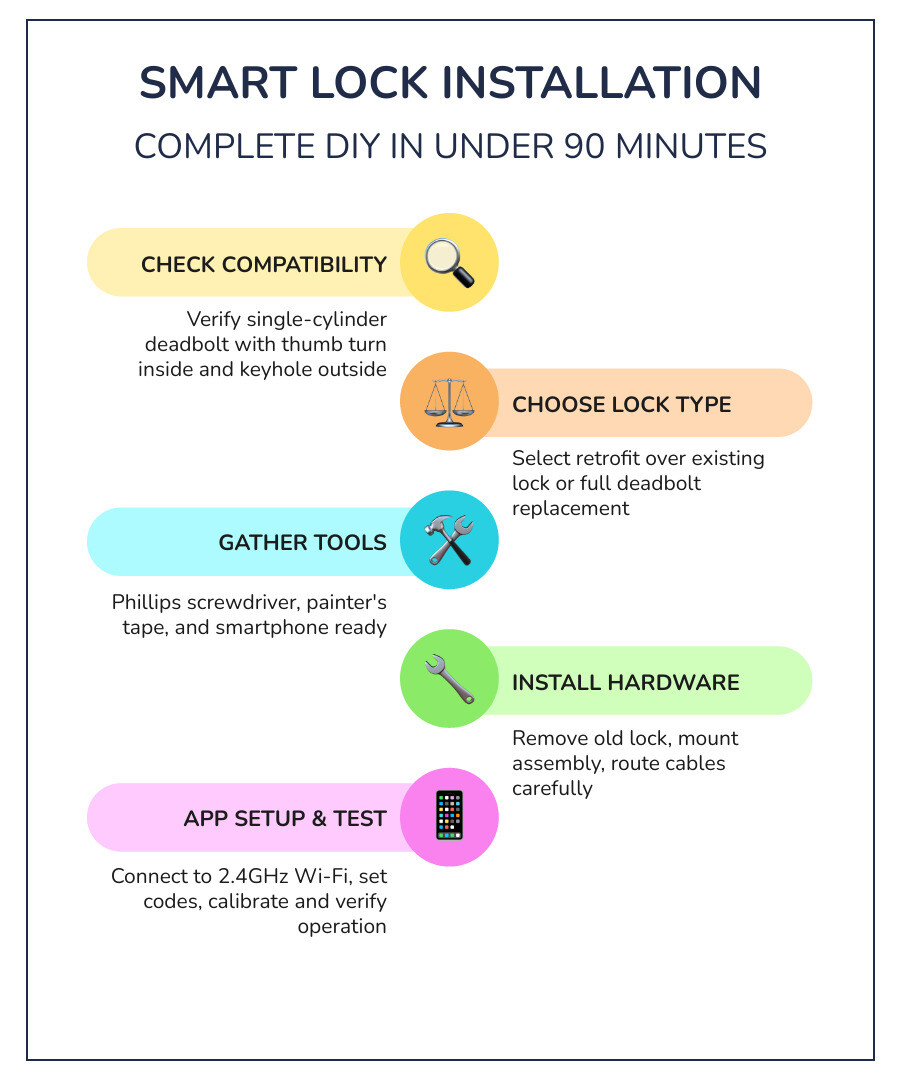
Smart lock installation is something most homeowners can complete in under 90 minutes with a screwdriver and a smartphone.
Here’s a quick overview of how it works:
- Check compatibility – Your door needs a single-cylinder deadbolt (thumb turn inside, keyhole outside)
- Choose your lock type – Retrofit (fits over existing deadbolt) or full deadbolt replacement
- Gather tools – Phillips screwdriver, painter’s tape, and your phone
- Install the hardware – Remove old lock, mount new assembly, connect wiring
- Set up the app – Connect to 2.4GHz Wi-Fi, create access codes, enable auto-lock
- Test everything – Manually operate the deadbolt, calibrate, and verify app control
Most smart locks are designed with DIY in mind. They come with guides, videos, and step-by-step app walkthroughs. That said, getting the details wrong — door measurements, tailpiece adapters, Wi-Fi band — causes the majority of failures.
Whether you’re a Gold Coast homeowner upgrading your front door, a landlord managing rental access, or someone who’s just tired of fumbling for keys, this guide covers everything you need to do it right.
Got a tricky door or not comfortable going DIY? A professional locksmith can handle the full install, setup, and show you how to use it — often in a single visit.
Preparing for Your Smart Lock Installation
Before you even crack open the box of your shiny new gadget, you need to make sure your door is actually ready for the upgrade. We’ve seen many enthusiastic DIYers get halfway through only to realize their door thickness or alignment is off.
Compatibility and Measurements
First, check your deadbolt style. Most residential smart locks are designed for single-cylinder deadbolts. These have a keyhole on the outside and a thumb-turn on the inside. If you have a double-cylinder deadbolt (keys required on both sides), you may need to replace the entire unit for safety and compatibility.
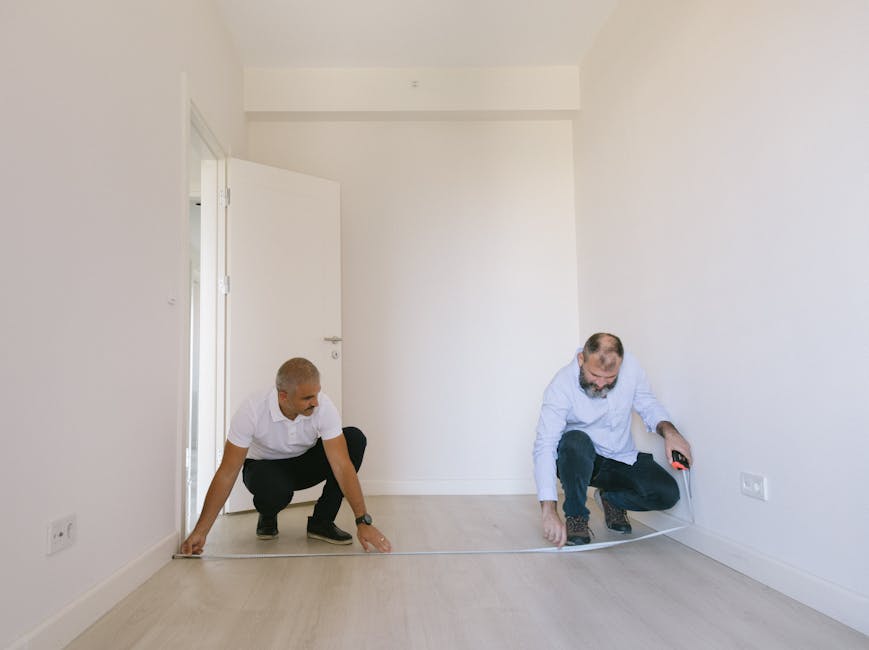
Next, grab a tape measure. You need to verify three critical dimensions:
- Backset: This is the distance from the edge of the door to the center of the hole. Standard backsets are either 2-3/8 inches (60mm) or 2-3/4 inches (70mm). Most modern locks are adjustable, but it’s good to know which one you have.
- Door Thickness: Standard doors are typically 1-3/8 inches to 1-3/4 inches thick. If your door is thicker (common in some high-end Gold Coast homes), you might need a “thick door kit” from the manufacturer.
- Bore Hole Diameter: The standard crossbore hole is 2-1/8 inches (54mm).
Tools and Preparation
You don’t need a workshop full of power tools. In fact, most manufacturers (like Schlage) specifically warn against using power drills as they can easily strip screws or damage sensitive electronic components.
Your Toolkit:
- Phillips Head Screwdriver: The MVP of smart lock installation.
- Painter’s Tape: This is a pro secret. Use it to tape the exterior side of your existing lock to the door so it doesn’t fall out when you remove the interior screws.
- Your Smartphone: To download the app and follow the digital guide.
- Tape Measure: For those compatibility checks we mentioned.
Before you start, it’s a great idea to read through 5 Things to Know Before Your Electronic Security Installation to ensure your home’s infrastructure is ready for the digital age. If you discover your door is sagging or the frame is cracked, you might want to consult a Residential Locksmith to fix the structural issues first.
Choosing Between Retrofit and Full Deadbolt Replacement
One of the biggest decisions you’ll make is whether to go for a “retrofit” model or a “full replacement” lock. This choice often depends on whether you own your home or are renting in areas like Burleigh or Miami.
| Feature | Retrofit Smart Lock | Full Deadbolt Replacement |
|---|---|---|
| Installation | Fits over existing interior thumb-turn | Replaces both interior and exterior hardware |
| Exterior Look | Keeps your original keyhole and handle | Modern keypad, fingerprint, or sleek metal face |
| Renter Friendly | High (easy to revert, no new keys) | Low (requires landlord approval) |
| Complexity | Low (10-15 minutes) | Medium (30-60 minutes) |
| Key Access | Uses your original physical keys | Comes with new keys or goes keyless |
Retrofit locks (like the August Wi-Fi Smart Lock) are fantastic for apartments. Since they only replace the interior part of the deadbolt, your landlord’s master key still works on the outside. You can learn more about these in our guide on How to Install a Retrofit Smart Lock 2026.
Full replacement locks (like the Schlage Encode or Yale Assure) offer a complete aesthetic overhaul. These are perfect for homeowners who want to ditch physical keys entirely in favor of a keypad or fingerprint scanner. For a deeper dive into the best models available this year, check out Beyond the Key: Unlocking the Best Smart and Wifi Deadbolts.
Step-by-Step DIY Guide to Keyless Entry
Ready to get your hands dirty? Follow these steps for a standard full-replacement smart lock installation.
Physical Smart Lock Installation Steps
Step 1: Remove the Old Lock Use your Phillips screwdriver to remove the screws on the interior thumb-turn. Once the screws are out, the interior and exterior pieces should pull apart. Pro Tip: If you’re doing a retrofit, use that painter’s tape to hold the exterior keyhole in place so it doesn’t drop and scratch your porch!
Step 2: Clean and Inspect the Bore Hole Wipe away any old lubricant, sawdust, or debris from the hole. Ensure the wood isn’t splintered. A clean hole ensures the new electronic components sit flush.
Step 3: Install the New Latch/Bolt Slide the new bolt into the hole on the edge of the door. Make sure the “Up” arrow is pointing toward the ceiling. If the bolt doesn’t reach the center of the bore hole, you may need to twist it to extend it (this is how you adjust for different backsets).
Step 4: Mount the Exterior Keypad Feed the data cable under the bolt through the bore hole. Press the exterior keypad firmly against the door. The tailpiece (the flat metal bar) should slide through the center slot of the bolt.
Step 5: Attach the Mounting Plate and Interior Assembly On the inside of the door, slide the mounting plate over the tailpiece and cable. Hand-tighten the screws to secure the exterior and interior plates together. Connect the data cable to the interior motor assembly—you should hear a satisfying “click.” Tuck any extra wire into the housing to avoid pinching it.
For brand-specific nuances, the Yale Smart Lock Installation Guide is an excellent resource, especially for understanding how their specific Access Control Systems integrate with your home.
Connecting to Wi-Fi and App Setup
Once the hardware is on the door, it’s time to give it a “brain.”
- Install Batteries: Most locks use 4 AA batteries. We recommend high-quality alkaline batteries; lithium batteries can sometimes provide inconsistent voltage readings for smart devices.
- Download the App: Whether it’s the August, Yale, or Schlage app, follow the in-app instructions.
- Connect to 2.4GHz Wi-Fi: This is the most common stumbling block. Most smart locks only work on 2.4GHz networks. If your router is dual-band (2.4GHz and 5GHz), ensure your phone is connected to the 2.4GHz band during setup.
- Firmware Updates: Don’t skip this! Manufacturers push security patches and performance improvements immediately. Ensure your batteries are at least 50% full before starting an update.
- Set Master and Guest Codes: Create a unique master code (6+ digits) and set up temporary codes for your dog walker or cleaner.
- Enable Auto-Lock: One of the best perks of smart lock installation is never wondering “did I lock the door?” Set it to auto-lock after 30 or 90 seconds for peace of mind.
If you run into trouble during the digital handshake, the August Wi-Fi Smart Lock support page offers great troubleshooting for app connectivity.
Troubleshooting and Maintenance for Long-Term Reliability
A smart lock is a mechanical device controlled by an electronic one. If the mechanics are off, the electronics will struggle.
Solving Common Smart Lock Installation Issues
- Mechanical Binding: If you hear a grinding noise or the app says “Lock Jammed,” your bolt is likely hitting the strike plate. Even a 1/8-inch misalignment can cause a motor failure over time. You may need to slightly move the strike plate on the door frame or use a chisel to deepen the hole.
- Wi-Fi Dropouts: If your lock keeps going offline, check the signal strength at the door. If it’s lower than -70 dBm, you might need a Wi-Fi extender or a mesh node closer to the entrance.
- The “Phantom” Jam: Sometimes the lock works perfectly when the door is open but jams when closed. This means the door isn’t sealing tightly against the weatherstripping, forcing the bolt to rub against the frame.
For residents in the humid climate of Northern NSW or the Gold Coast, we recommend a Locksmith Services Gold Coast check-up if your door starts to swell in summer, as this can cause the lock to bind.
Testing and Calibration Post-Installation
After installation, perform a “Health Check”:
- Manual Test: Turn the thumb-turn. It should feel smooth, like a hot knife through butter.
- Calibration: Use the app to calibrate the “DoorSense” or magnetic sensors. This tells the lock exactly where “fully closed” and “fully open” are.
- Emergency Power: Check if your lock has a 9V battery jump-start port on the bottom. If the internal batteries die, you can touch a 9V battery to these contacts to give it enough juice to enter your code.
Maintenance Tip: Never use WD-40 or oil in your lock. It attracts dust and gunk that will eventually fry the electronics. Instead, use a tiny bit of graphite powder if the mechanical parts feel stiff.
Professional vs. DIY: Costs and Considerations
While DIY is rewarding, it isn’t for everyone. Here’s how the costs break down in April 2026:
- DIY Costs: Free (plus the cost of the lock). You save roughly $50 to $200 in labor.
- Professional Installation: Typically ranges from $169 to $350.
Why hire a pro?
- Precision: We ensure the strike plate is perfectly aligned so your motor doesn’t burn out in six months.
- Modifications: If your door is older and needs the bore hole resized or the frame chiseled, a locksmith has the specialized jigs and tools to do it without ruining the door’s finish.
- Security Guarantee: When we perform a Smart Lock Installation Gold Coast, we also check your hinges and overall door security to ensure your new high-tech lock isn’t sitting on a flimsy door.
- Education: We don’t just install it; we sit down with you to set up the app, explain guest access, and show you how to change the batteries.
Explore our full range of Services to see how we can help secure your entire home beyond just the front door.
Frequently Asked Questions about Smart Lock Installation
Can I install a smart lock on an apartment door without drilling?
Yes! Retrofit smart locks (like the August or Wyze Lock) are designed specifically for this. They use the existing holes and exterior hardware of your current deadbolt. You won’t need to drill anything, and you can take the lock with you when you move out, replacing the original thumb-turn in minutes.
What tools are required for a standard smart lock installation?
For 90% of installations, all you need is a Phillips head screwdriver. Some specialized locks might require a level or a tape measure for precise alignment, but you should avoid power drills to prevent over-tightening and damaging the internal circuit boards.
How do I check if my door is compatible with a smart lock?
Check for a single-cylinder deadbolt that is separate from your door handle. Measure the backset (2-3/8″ or 2-3/4″) and the door thickness (standard is 1-3/8″ to 1-3/4″). Finally, ensure your deadbolt moves freely without you having to pull or push the door hard—if the door is misaligned, the smart lock motor will likely jam.
Conclusion
Upgrading to a smart lock is one of the most satisfying home improvements you can make. No more “key dances” at the front door with an armful of groceries, and no more worrying if you left the house unlocked.
Whether you choose a DIY retrofit or a full-system overhaul, the key to success is patience and precise measurement. At Palm Beach Locksmiths, we’ve spent over 40 years helping Gold Coast residents secure their homes. From Tweed to Tugan and everywhere in between, our 24/7 mobile team is ready to help if your DIY project hits a snag or if you simply want the peace of mind that comes with a professional touch.
Ready to upgrade your home security? Contact us today or learn more about our Smart Lock Installation Gold Coast services. We’re here to make sure your home is “smart” and, more importantly, safe.